


Video reviews are a powerful instrument in the hands of a person who wants to make their business successful and attract traffic to their websites, YouTube channels, or any other platforms that can promote their business. However, creating video reviews is not that easy as it may seem at first sight. If you want to try your hand at making professional video reviews, we’ve got some tips to make it easier and allow you to create a video that will meet your expectations.
Where to Start When Making a Professional Video Review?
Product reviews make a significant part of a successful video content strategy for any business developing online. This guide tells about the essentials of making video reviews easily and professionally so that the end result is a video product that will increase your website conversion and bring along new leads.
The thing to start with is the research of the market to determine what product deserves your attention as a reviewer and will be interesting to your potential viewers. What matters most here is the statistics on the Google searches of the product, the already-existing content about the same item, and how available it is. Let’s face the truth, people are much more interested in some gadget they can afford than those they can only dream of. Anyway, you should know your audience to decide what works better for them.
Don’t Ignore the Unboxing
Unboxing videos are at the TOP on YouTube. Naturally, making a review of the product right after you open it is a bad idea. Your viewers want your own opinion about the product, the truth about its pros and cons, which is impossible to get right after you take the thing out of the package.
Anyway, you should get your camera ready and record when you open the product. Why? This can become perfect footage for your video review. It will raise interest in your video. Also, it can be used as a teaser before posting the full review.
Test the Product
Try to imagine yourself in the shoes of your viewers; who would you better believe: a person who tells you about the product but hasn’t used it a single time or someone who uses it regularly or at least long enough to say that it’s good or not. Guess the answer is obvious.
If you want to convince people that the product you are reviewing is worth spending their money on, you should know all the ins and outs about it. This can be done only after you use the thing.
Let’s say you’ve got a cool game controller to review. You have to spend at least several hours playing with it to know its benefits and drawbacks. It will also be great if you compare it with the previous versions or other controllers and give your opinion as to whether this one is better and if it is then why. Be honest with people. They won’t believe any of your words if you deceive them at least once.
Make a Disclosure
Continuing the topic of being honest in your reviews, you have to speak openly about where you get the product from. If you buy it with your own money, that’s one story. But if you receive it from the company that pays you for reviewing their product, this may change people’s attitude towards your opinion about the item. Whatever your case is, disclosure means much as this is the thing that builds trust between you and the viewers.
Take Care about the Hardware
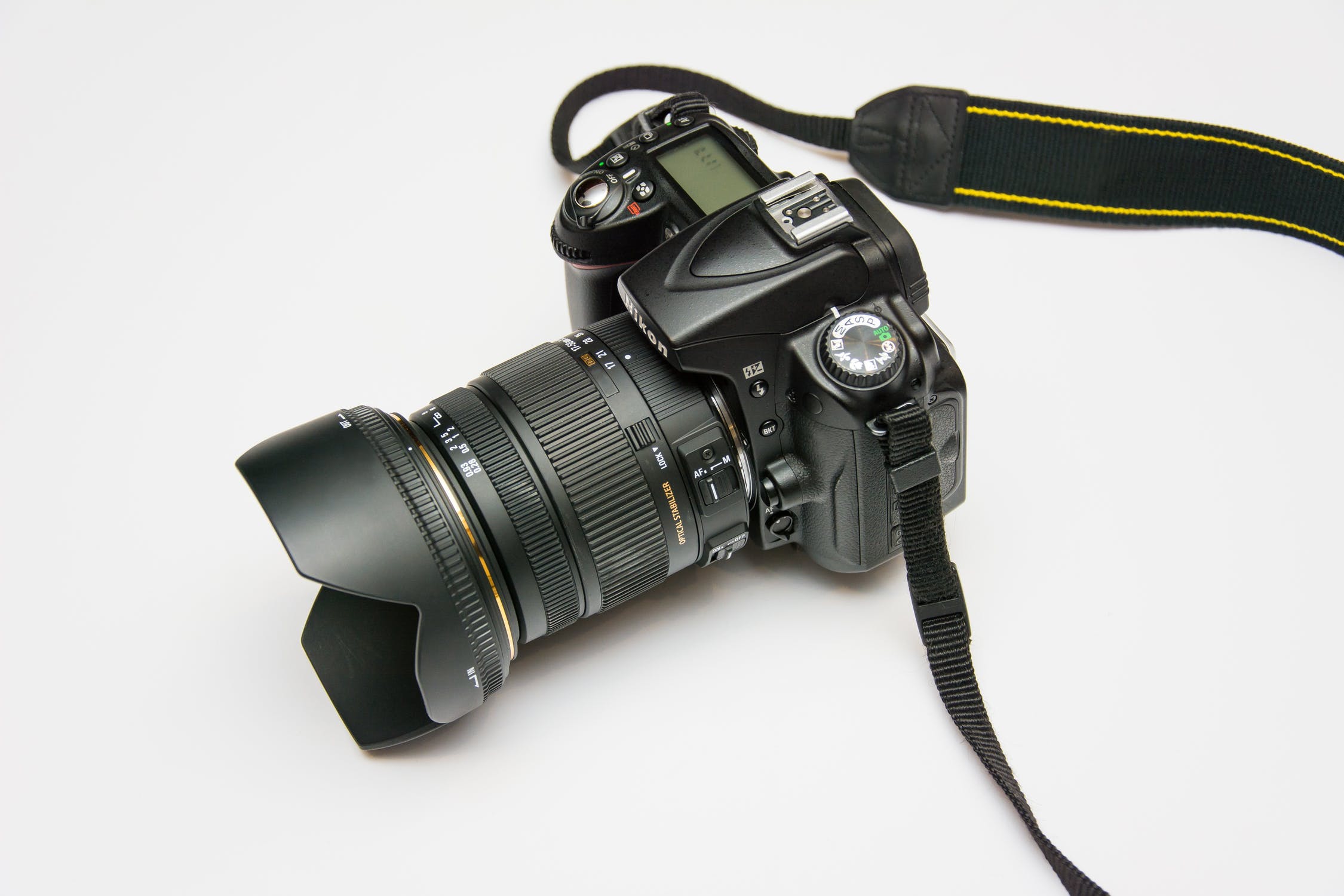
Quality hardware can make your video review closer to what we call a professional video and high-quality video content. The three basic things you’ll need to shoot a video are a camera (even better, a DSLR camera or at least a top-end smartphone camera), a microphone, and a tripod.
The quality of the camera means much as this is the exact thing predetermining the quality of the video. As for the mic, some may say that there is an in-built one in your smartphone, yet the quality of the sound you get using them is low. Professional videos demand quality sound, which is only possible with a good microphone. If you are not sure that you can comment along with shooting, you can overlay the sound on the video later using the Shotcut video editor. A tripod is a must-have for anyone shooting video reviews to make the videos stable and have hands free to move the product while shooting. Anyway, if there are some problems with video stabilization, you can resolve them by tapping here.
Write a Script
To sound confident and don’t lose your tongue in the middle of shooting, you’d better make a script. It should consist of two parts:
- The first one should outline everything you are going to include in your video, like intro, outro, some screenshots (if you are reviewing a PC game or software), slideshow, photos, etc. This will help you keep track of what you have already made and what is still to be done.
- The second one is your monolog (or, better say, a dialogue with the viewers). This script is necessary to make your video structural, consistent, and logical. If you don’t feel like writing everything, make a list of the key points to address.
Be Creative While Shooting
Video reviews are so effective in attracting leads because they allow the viewers to see the product in use. So one of your main tasks is to show the product in use. If this is a toy you are reviewing, play with it in front of a camera; if it’s a gadget, show how it works and what features are the best ones; if you are working with a PlayStation game, add a screen recording of how you play it, using some video software for editing, like LWKS.
Choose unusual angles to show the product differently, not like anyone else would do. Make close-ups and “play” with backgrounds, be creative like you are working on another Volume technology from The Mandalorian. Show the item from different points to give viewers a complete understanding of the thing.
You should also make some photos or stills of the product to insert them into your video review.
Don’t Forget about a Call to Action
Showing the product is not enough to persuade people they need it. One of the essential things in your video script is a call to action. Ask people to share their opinion about the product in the comments or leave a link to the website where they can learn about other details on the product. You can also specify this information in a video description.
Now It’s Time for Editing!
The mixture of scenes, intros, outros, stills, screenshots, and screen recordings needs to be organized in a single unit, which will turn into a quality product review. Use professional software for editing video and adding special effects, like FXhome, if you don’t want your review to be of the quality of Star Wars where the only thing they could use at that time was Photoshop. Even if you have never done editing before, you can learn it within a couple of days. So good luck!